Concept Design
We explore concept design as the stage following initial mapping and site analysis, focusing on the relationships and relative locations of larger areas. We examine the functional connections and flow between these areas to identify opportunities and ensure a practical layout for the overall design.
What is Concept Design
In the design process, concept design comes after we map our land and record its key features. It is the first stage of drafting a practical solution that addresses any issues or opportunities we previously discovered.
In concept design, we focus on relationships between larger areas and their relative locations. We explore inputs and outputs between them to recognise relevant opportunities or pieces of our dream design that we have not yet placed.
You can see an example of areas with marked communication pathways in the gallery below.
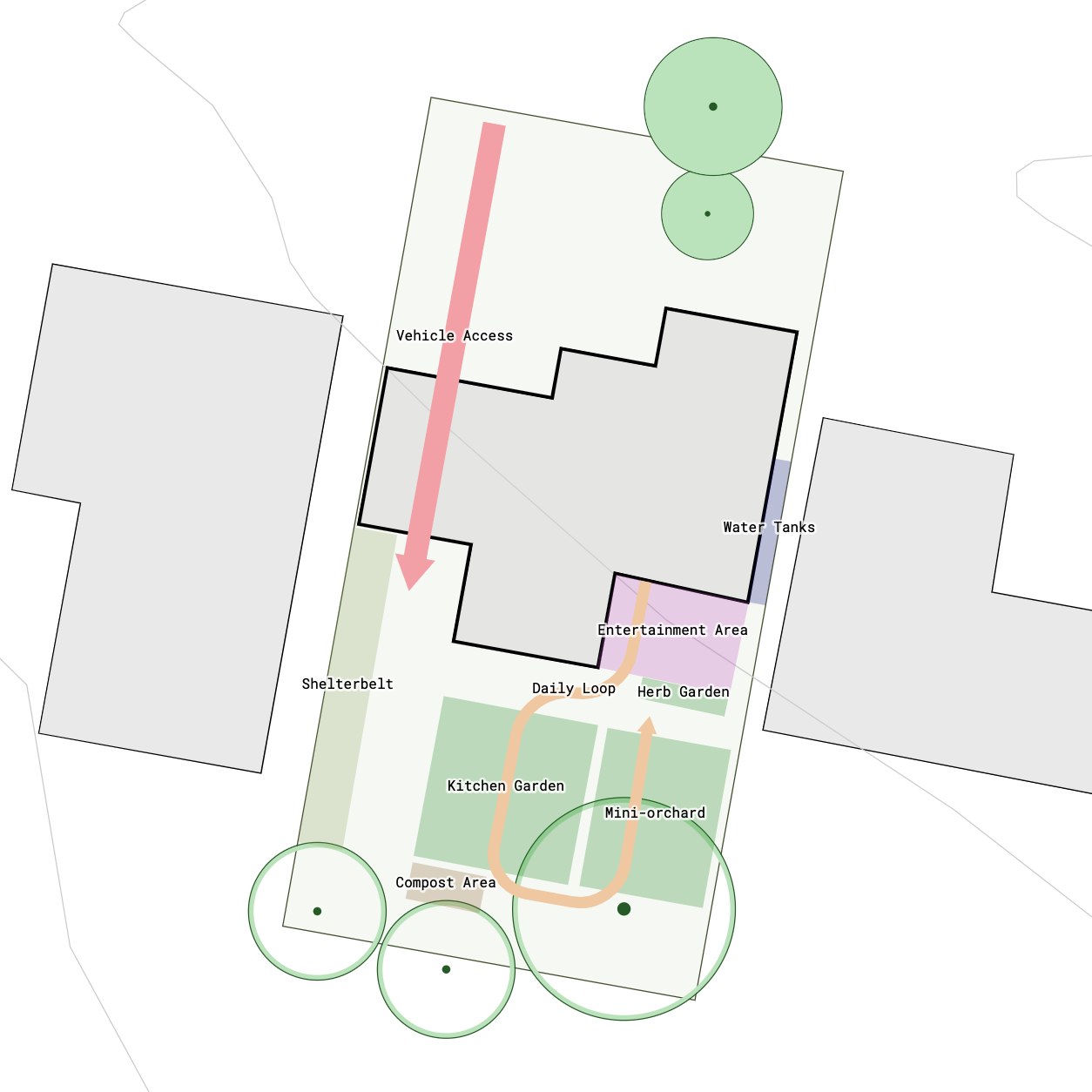
Concept Design - Residential Property Example
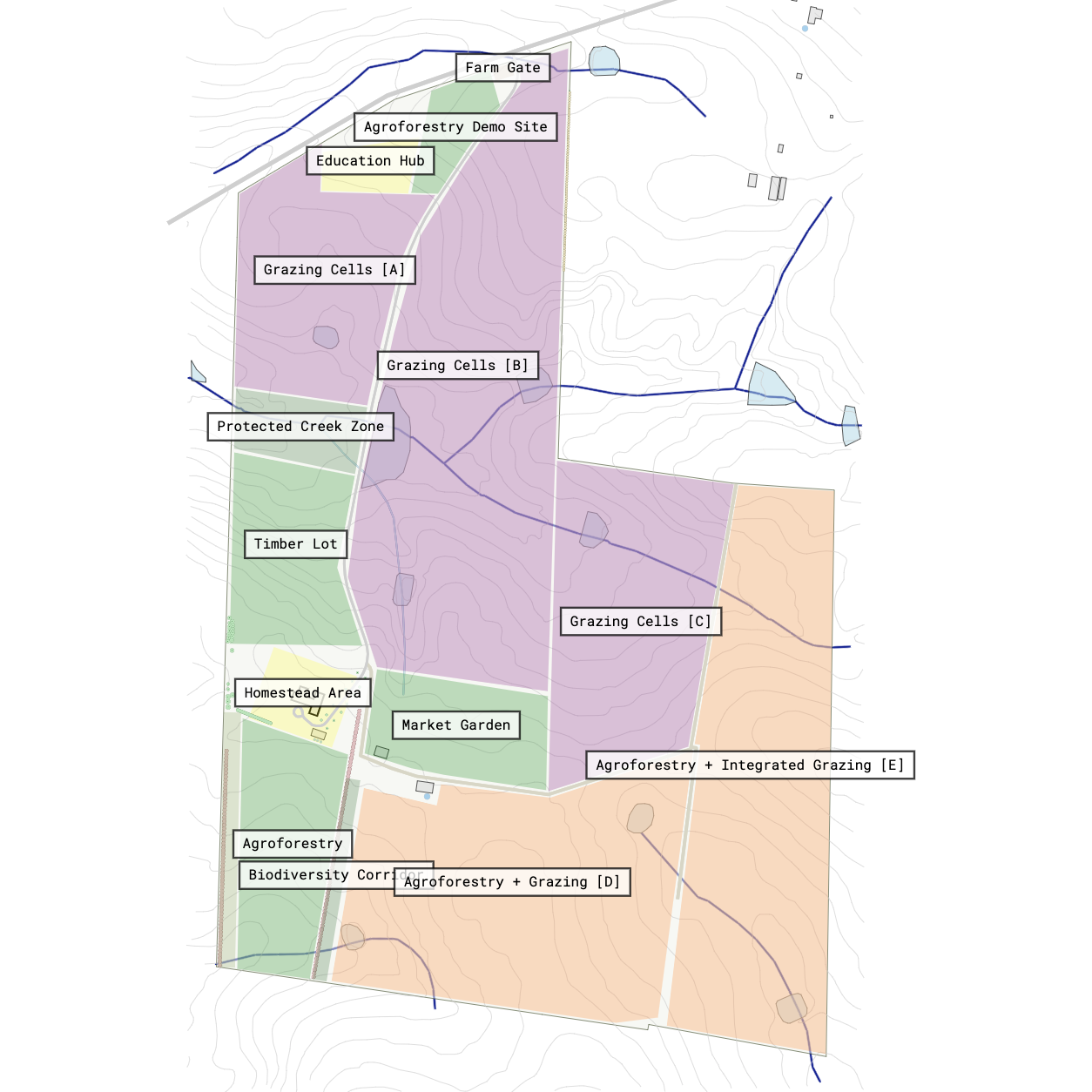
Concept Analysis - Large Rural Property Example
Video Tutorial
We recommend starting with the following video, which gives a quick overview of creating zones and communication pathways.
How to Decide on Items to Place in Concept Design
Without a clear plan, placing features across your land can feel overwhelming and lead to frustrating outcomes. The hidden trap of layout planning is jumping ahead without a complete picture, which often leaves you with cramped spaces, forgotten priorities, or missing elements that are essential to your overall goal. Defining what goes into your concept design first ensures every critical element gets a dedicated place before you make permanent decisions.
1. Reserve Areas for Existing & Future Inventory Items
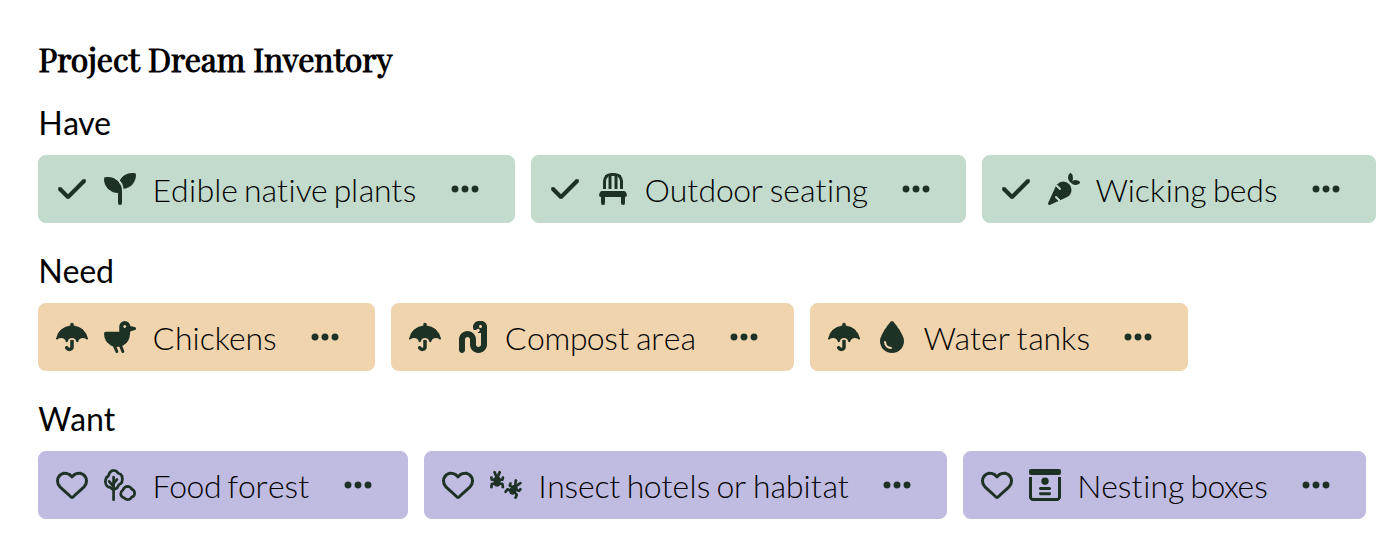
Include items aligned with your vision by revisiting your wishlist from creating a design vision to confirm that all essential ‘Haves’, ‘Needs’, and ‘Wants’ fit logically within your space. Checking spatial requirements early prevents overcrowding and ensures every element supports your broader goals. Read more about using your vision to create a concept design.
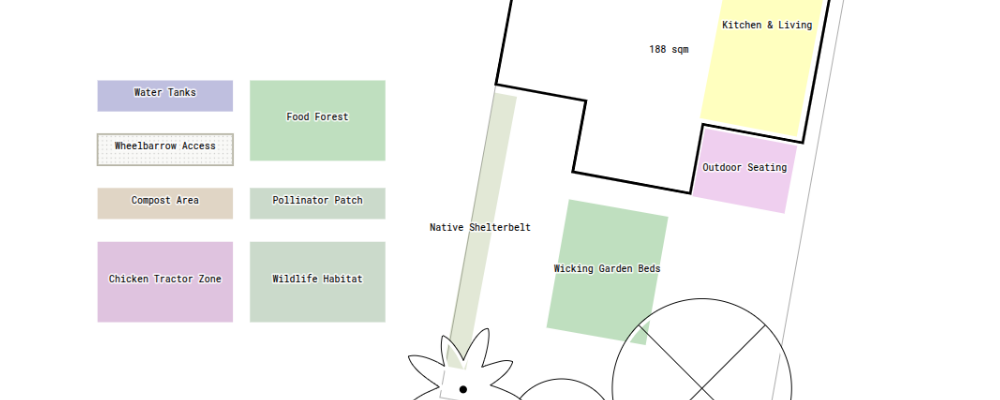
Example of Assigning Inventory to Concept Zones
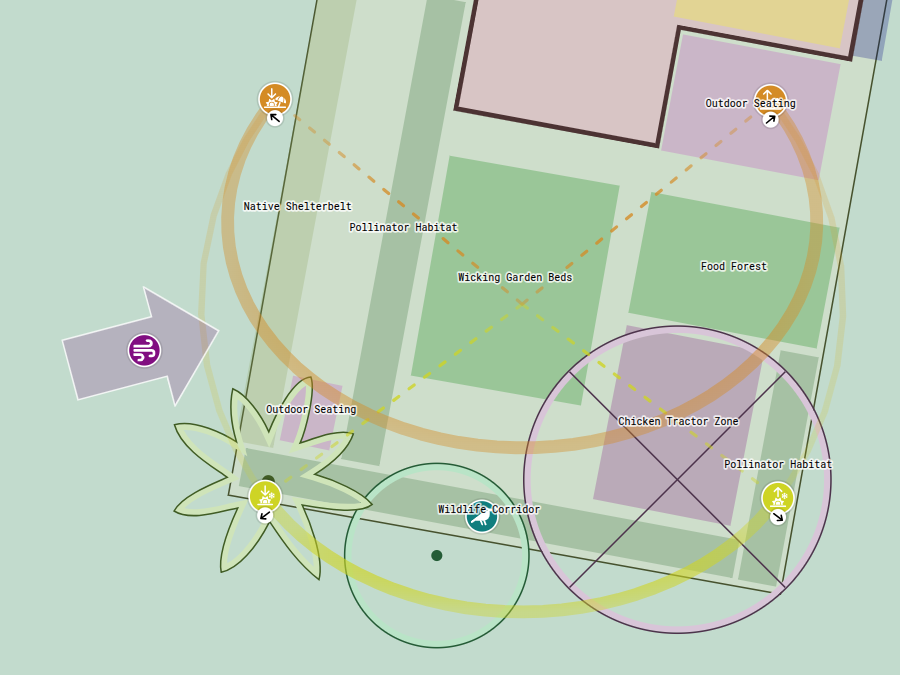
In our example project, we reviewed our goals to produce fresh food, harvest water, process waste, and create relaxing social spaces. We mapped these goals directly into inventory items, categorising them as ‘Haves’, ‘Needs’, and ‘Wants’, and assigned each item to an area.
2. Enhance or Mitigate Site Aspects
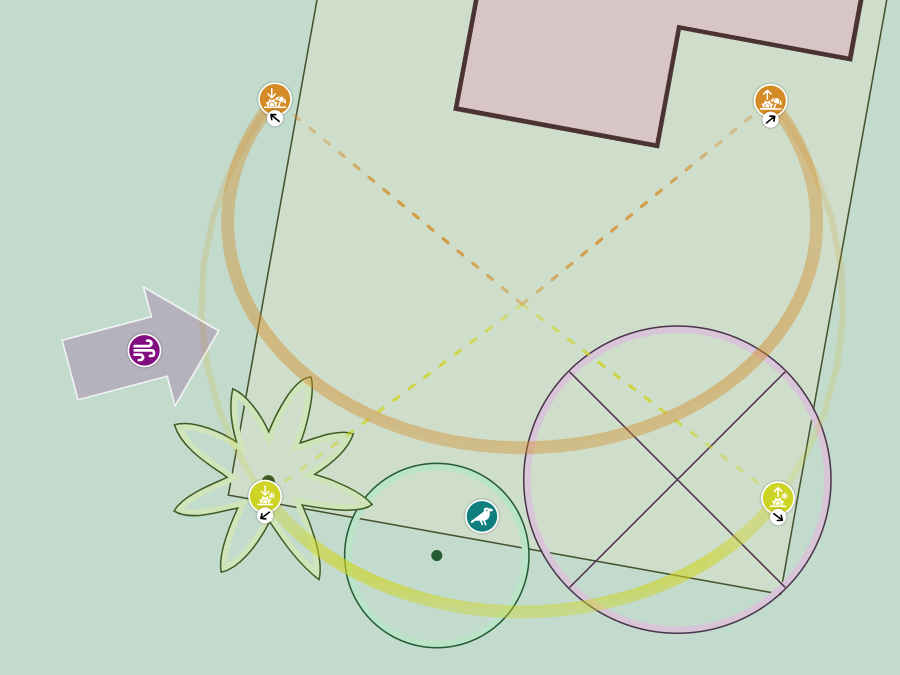
Address site conditions by considering environmental factors such as sun trajectories, prevailing winds, morning exposure, shade patterns, frost pockets, and any other site observations important to consider in your design. Placing elements in harmony with the land ensures plants receive adequate sunlight and structures offer shelter.
Example of Addressing Site Aspects in Concept Design
In our example project, we reviewed environmental factors across the site before drawing zones. We identified prevailing wind vectors, shade patterns, and frost-prone sectors. Placing shelterbelts and cold-hardy plantings along these microclimatic areas protects delicate growing zones and creates sheltered outdoor spaces.
Areas and Their Connections
Areas
Areas represent roughly marked-out pieces of land that serve a specific purpose. At this stage, we do not focus on their inner details, but rather on the relationships between them.
Example of Concept Areas
An example of an area in our design could be a veggie garden, an orchard, an apiary, a storage area, water tanks, or a gathering area. You will likely find many more examples relevant to your own site and context.
As you can see in our examples, we do not detail how many garden beds sit inside a veggie garden, but instead mark out the area as a whole.
Connections of Inputs & Outputs
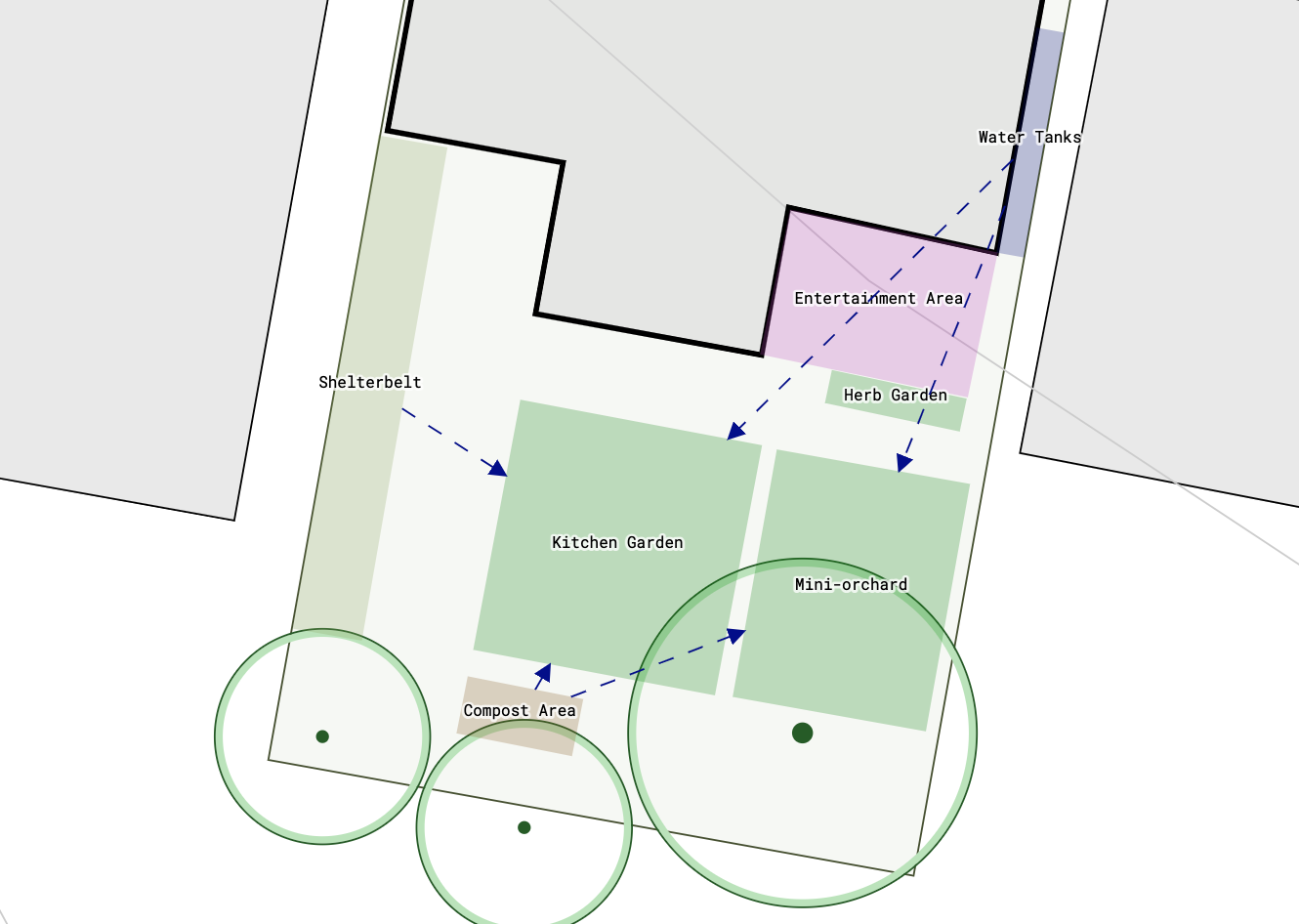
Permiehub Concept Design Areas Connections Example
We can visualise connections between areas to confirm that individual areas of our design benefit from their relative placement.
Example of Input and Output Connections
For example, a water tank might provide irrigation for our veggie garden, while our veggie garden receives wind protection from a nearby shelterbelt.
By visualising the inputs, outputs, and connections between areas, we can make sure we have not placed related elements too far apart or in inconvenient spots.
Communication Pathways
Communication Paths in Concept Design - Vehicle Access and Daily Loop Example
You can draw communication pathways between the areas of your concept design.
We think of communication pathways as a tool to visualise and check access routes and obstacles between elements that support each other. They also help us save energy and create comfortable daily loops around our site.
We find that a common kitchen design principle works as a great analogy for communication pathways in concept design. You might have heard of the kitchen work triangle. Its purpose is to make sure we move between our storage, cooking, and washing areas without obstacles so we can prepare food comfortably and efficiently.
As architects of our permaculture spaces, we can draw pathways between elements to see if we go about our days ergonomically and effectively. We can also focus on increasing the number of loops throughout our design, ensuring backup routes if a specific path becomes blocked or inaccessible.
Example of Saving Energy
One great way to save energy is replacing steep uphill walks with pathways that move along natural contours instead.
Designed with Permiehub. Contains data from © State of NSW (Spatial Services).